

Steps to Change Your Registration from Minor to Adult in NASA Space Apps Athlone
HackAthlone Team - Sep 1, 2025
If you registered as a minor by mistake but are over 18, follow these steps to correct your account and re-register for HackAthlone with the correct age status.
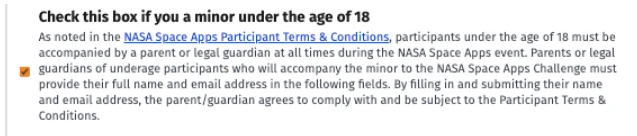
- If you have mistakenly registered as a minor by selecting the 'check this box if you are under the age of 18' option on spaceappschallenge.org and you are not under 18, it's important to change it. Follow the steps below.
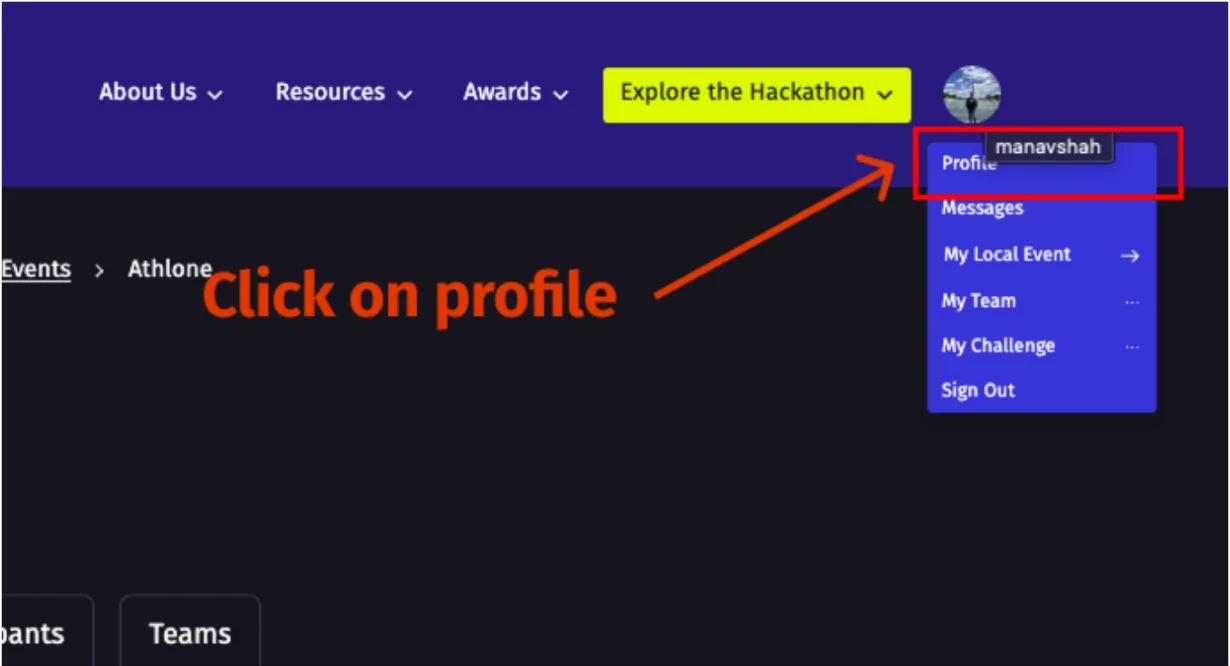
- 1. Go to Your Profile Page: Click your username at the top right, open the dropdown and choose 'Profile'.
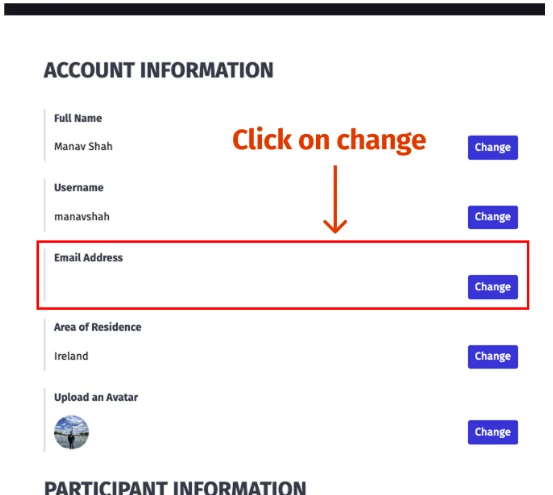
- 2. Change your email: In Account Information update your current email to a different email address that you own and save the changes.
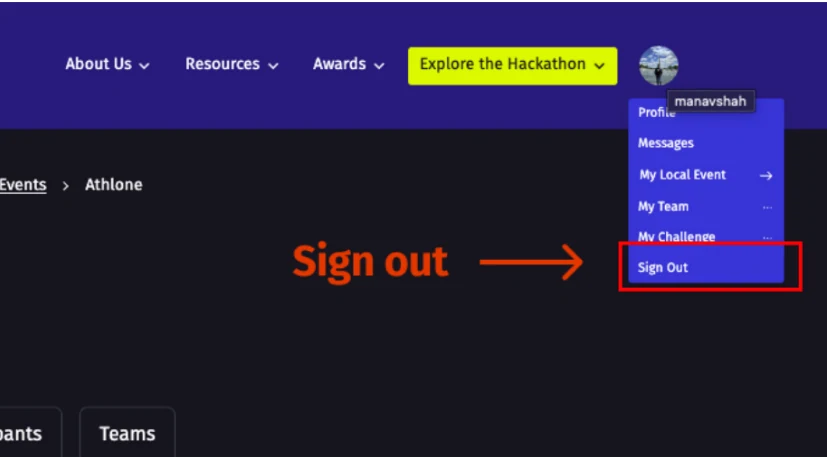
- 3. Log Out: Click your profile icon (top left) and choose 'Sign out' to log out of spaceappschallenge.org.
- 4. Sign Up Again with Your Original Email: Start the sign-up process again and use the original email address you first used to register. This resets the account tied to that email.
- 5. Register again for NASA Space Apps Athlone (make sure the location is Athlone).
- 6. Keep the 'Minor' box unchecked during registration: Do not select the 'Check this box if you are a minor under the age of 18' option.
- Once completed, your registration will be set as Adult and you can attend the hackathon without minor-specific restrictions. You're all set for participating in NASA Space Apps Athlone!

Previous
The Science Behind 'Learn, Launch, Lead': What NASA's 2025 Theme Really Means
Next
Changing Your Email if You Registered with a Non-University Email for NASA Space Apps Challenge Athlone